
Breaking
Advertisement

AI

AI

CopilotKit Releases CLiF: A Continual Learning Platform That Turns Agent Traces and User Actions into Skills, Evals, and Fine-Tuning Data

Introduction Teams shipping AI agents at scale keep running into the same pattern. Even agents built on top-tier models like Fable and Astra struggle to carry out complex, end-to-end tasks inside a specific product consistently enough to deploy. So teams grind out evals for the workflows that matter most, often hundreds or thousands of hand-written cases, and then improve the agent bit by bit through prompt edits, harness fixes, and special cases until it passes enough of them to go live. Meanwhile, the product’s own users carry out those same tasks every day, and know which actions to take and in what order. CopilotKit, the company behind the open-source CopilotKit framework and the AG-UI protocol, released CLiF, a platform for continual learning from full-stack trajectories, in early access. CLiF securely captures what the agent does and what users do in the product, and turns that record into skills, production-based evals, and fine-tuning datasets, all exportable along with the raw trajectories. CopilotKit is open source, with more than 38,000 stars on GitHub. TL;DR Agent tracing shows where an agent went wrong, while the correct path lives in what users do in the product, which most stacks never capture. CLiF, now in early access, learns from full-stack trajectories: the agent trace and the user’s actions in the product, securely captured as one timeline over AG-UI. A four-stage loop, built on CopilotKit’s Automatic Learning, turns those full-stack trajectories into skills, production-based evals, fine-tuning datasets, and raw exports, with a human reviewing every skill. A worked example shows how agents learn the way team leads actually close out a sprint. CLiF targets the pains slowing agent teams, including evals, context bloat, cost, fragmented stacks, and shadow AI usage, and runs fully self-hosted. What Agent Tracing Misses Most agent observability today is centered on the agent. Tracing tools capture prompts, tool calls, and model outputs, which shows where the agent went wrong while leaving the correct path out of view. Product analytics covers the other side with clicks, funnels, and session replays, though that data is built for a person reading a dashboard rather than for teaching an agent a task or testing it. In most production agent stacks, the two never end up on the same timeline. That gap matters because the agent learns a product from prompts, skills, tool descriptions, and exposed APIs, and has to work out on its own how those pieces fit together for a real task. The people using the product have already solved that, often hundreds of times. CopilotKit’s view, laid out in its explainer on agent learning, is that how users actually get work done is the most valuable dataset any agent team has, and that it is rarely captured in a form an agent can learn from. Full-Stack Trajectories: The Training Signal CLiF Is Built On CLiF is part of CopilotKit Intelligence and is built around a single primitive, the full-stack trajectory. It is captured through AG-UI (Agent-User Interaction Protocol), the open protocol CopilotKit created to connect agents to user-facing applications. Because AG-UI sits between the agent and the user on any surface, it can see both sides of a task: Agent trajectory (agent trace): every run, tool call, and state change the agent made, and what each one returned. Product trajectory (user actions): what was on the user’s screen, the buttons they clicked, and the server requests they triggered. If the user talks to the agent along the way, that conversation lands on the same timeline, in order. Together, that is a full-stack trajectory. AG-UI already streams the agent’s events to the frontend, so securely capturing user actions over the same protocol puts both halves in one stream from the start, with no separate analytics pipeline to stitch them together later. Each user session becomes a single trajectory that a team can open in CopilotKit Intelligence and replay step by step, with clicks, server requests, and agent messages in the order they happened. Inside CLiF: From Trajectories to Skills, Evals, and Training Data CopilotKit describes the learning loop in four stages. 1. Capture. Trajectories stream into CopilotKit Intelligence and are assigned to learning containers, which scope learning to one kind of work, such as billing support or customer onboarding. The runtime picks the container for each session through the getTrajectoryLearningContainerIds callback, and sessions can be moved in or out of a container later in the Intelligence UI. Each container learns only from its own sessions. 2. Find patterns. Analysis runs on a schedule once a container passes a set threshold of new sessions, and teams can also trigger it manually. Each run works from a frozen snapshot of the container’s sessions and surfaces Insights: recurring requests, repeated corrections, and the friction users quietly work around. CopilotKit sees that friction as the strongest signal, since it tends to repeat across thousands of sessions and shows exactly what the agent should learn next. Every Insight cites the specific events behind it and links straight to the source trajectory. 3. Review. When the evidence supports a reusable lesson, CLiF proposes it as a skill, written as a plain SKILL.md file. The analysis service cannot publish anything on its own: a person approves or rejects each proposal, either in the Intelligence UI or through the CopilotKit CLI. Published skills are versioned and can be retired at any time. 4. Deliver and export. Published skills reach the agent without a redeploy, and teams that need stability can pin the agent to a fixed skill revision. For any other agent or MCP server, skills can be downloaded as plain files with copilotkit skills download –output . The trajectories themselves can be exported as raw event data from the Intelligence dashboard. For early access teams, the same pipeline also produces eval candidates and fine-tuning datasets from these trajectories. Agent Trajectories: Automatic Learning in CopilotKit Intelligence On the agent side, CLiF builds on Automatic Learning, the capability in CopilotKit Intelligence that CopilotKit also positions as the foundation for self-improving agents. Automatic Learning learns from the conversations users have with the agent. CLiF extends the same loop to product trajectories, so it also learns from the work users do directly in the product, outside the chat. Every agent conversation is stored in full through AG-UI Streams: messages, tool calls, generative UI, state, approvals, and files. Developers choose which threads count as evidence by returning a container ID from the getLearningContainerId callback on the CopilotKit runtime, which is the agent-side counterpart to the trajectory callback. Teams that already have an agent in production can import existing history from a LangGraph Server or LangSmith Deployment instead of starting from zero. Skill delivery works through adapters for LangGraph (Python and TypeScript), Mastra, Google ADK, Microsoft Agent Framework, CopilotKit’s built-in agent, and more. The adapter adds a catalog and two tools, copilotkit_load_skill and copilotkit_read_skill_file, and the model loads a skill when the task calls for it. Developer instructions keep precedence, so skills cannot override the agent’s role, safety rules, or tool restrictions. Beyond Skills: Evals, Fine-Tuning Data, and Raw Trajectories Skills are only the first output. The same trajectories feed four outputs in total, all exportable into a team’s existing stack: Skills for agents or MCP servers, built from patterns that recur across many sessions. Production-based evals, built from tasks users actually performed, including the inputs and edge cases nobody thought to write by hand. These can be exported to the eval platform a team already uses. Fine-tuning datasets drawn from real task trajectories, intended for training smaller, faster open models on a company’s most frequent workflows. Raw full-stack trajectories that can be exported to any observability platform or used however a team wants. CopilotKit’s view is that teams should keep the eval and observability tools they already use, and CLiF supplies the data those tools have been missing. CLiF in Action: A Practical Example Say you’re the CTO of a project management platform similar to Linear, where engineering teams plan sprints and track issues. You want agents to take over routine work in your product and do it reliably, both your own built-in agent and external agents like Claude that customers connect through your MCP server. Sprint close-out is one of the first tasks on the list. Your platform already has a one-click option that moves every unfinished issue into the next sprint, and your docs describe close-out exactly that way. So an agent asked to close out a sprint does just that, and moves every unfinished issue forward. Once CLiF is securely capturing product trajectories, thousands of close-outs show that team leads on your platform do more than that. Most use the one-click option, then spend the next few minutes fixing the result: They move issues that were already carried over once back to the backlog and unassign them. They comment on blocked issues, tagging whoever owns the blocker. Nobody on your team designed this routine, and few users would describe it if asked. It exists only in the clicks and requests that follow the one-click move. Agent traces never see it, because users do it themselves. Product analytics records the extra clicks without their meaning, and spotting the pattern in session replays would mean watching thousands of recordings. CLiF surfaces the routine as an Insight, citing the exact sessions behind it, and proposes a skill for the full close-out. After your team reviews and publishes it, your built-in agent picks it up without a redeploy, and you ship the same skill with your MCP server so Claude and other connected agents follow it too. As user habits change, new sessions keep the skill current, and the Insight also shows you where your own feature falls short. The same sessions become eval cases that check whether an agent handles each issue the way team leads on your platform do, so you can confirm agents are ready before handing them the task. They can also become training data if you later fine-tune a smaller model for planning work. How CLiF Addresses the Pains Slowing Agent Teams in 2026 For technical leaders running agents at scale, CopilotKit frames CLiF as a response to a familiar set of problems. Getting agents past evals: For most teams, the slowest part of shipping an agent is getting it to pass enough evals on the workflows that matter. Skills learned from how users complete those workflows give the agent the steps it was missing. Production-based evals then add the edge cases users hit in practice, so the suite keeps growing with real usage. Context bloat and tool overload: Each agent mistake tends to end with one more rule in the system prompt or one more tool on the agent. Over time, the context fills up, and behavior gets harder to predict. CLiF keeps learned behavior in a skill catalog instead, and the model loads a skill only when the task calls for it. Cost: Agents tend to get more expensive as they gain tools and longer prompts. Fine-tuning datasets from real trajectories give teams a path to move high-volume workflows onto smaller, cheaper open models, and per-workflow containers show where an agent struggles and where it does not. Fragmented stacks: Large organizations rarely settle on one agent framework, and their agents live in web apps, mobile apps, Slack, and Teams. CLiF runs on AG-UI, so it works with any agent harness and any model underneath. AG-UI is supported by Google, Microsoft, Anthropic, Amazon, and Oracle, along with frameworks including LangChain, Mastra, Pydantic AI, Google ADK, and more. Agent adoption outside central oversight: As teams adopt agent tooling on their own, it gets harder to know what each agent has learned and why. Every CLiF skill goes through human review, traces back to the sessions it came from, and stays versioned and reversible. The whole platform can also run inside a company’s own infrastructure. Self-Hosted by Design CLiF is fully self-hostable. CopilotKit Intelligence can be self-hosted on a company’s own Kubernetes cluster with a Helm chart, or on AWS ECS and Fargate, with the team’s own Postgres, Redis, and identity provider, such as Okta, Azure AD, or Keycloak. Trajectories, skills, and everything learned from them stay inside the company’s VPC or on-premises environment, so user activity and agent traces never have to leave its network. Traces can also flow into an existing OpenTelemetry collector. CopilotKit Intelligence also runs on a managed cloud for teams that want the fastest setup. Key Takeaways CopilotKit has released CLiF, a platform for continual learning from full-stack trajectories, now in early access as part of CopilotKit Intelligence. How users already do the work is the signal agents are missing. Full-stack trajectories capture it alongside the agent trace, on one timeline over AG-UI. CLiF turns those trajectories into four outputs: production-based evals, fine-tuning datasets for smaller open models, skills for agents or MCP servers, and raw trajectories for export, all compatible with existing eval and observability stacks. A human reviews every skill, and each one traces back to its source sessions. Published skills reach the agent without a redeploy and can ship with an MCP server for external agents like Claude. It targets the core pains of running agents at scale: passing evals, context bloat, cost, fragmented stacks, and oversight of what each agent has learned. CLiF works with any agent framework and any model through AG-UI, and it is fully self-hostable. Teams can learn more, book a demo, or request early access on the CLiF page. References CLiF product page Introducing CLiF: The Continual Learning Platform for AI Agents from Full-Stack Trajectories (CopilotKit blog) What Is Agent Learning? (CopilotKit) CLiF launch video CopilotKit Intelligence Automatic Learning docs Skill delivery docs Thanks to the Copilotkit team for the thought leadership / resources for this article. This article is sponsored by Copilokit. The post CopilotKit Releases CLiF: A Continual Learning Platform That Turns Agent Traces and User Actions into Skills, Evals, and Fine-Tuning Data appeared first on MarkTechPost.
AI

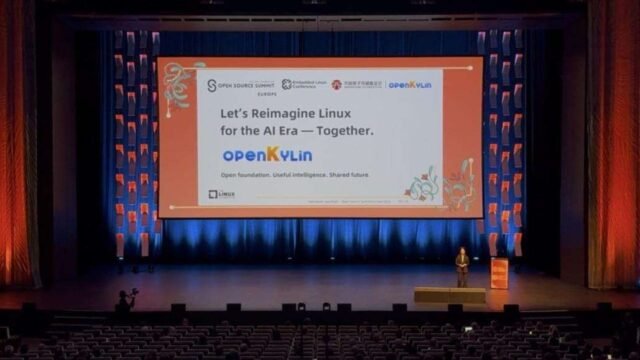
openKylin Outlines Its Vision for Reimagining Linux in the AI Era at Open Source Summit Europe 2026

Open Source Summit Europe 2026 (OSS EU 2026) took place in Prague, Czechia, from October 7 to 9. On October 8, Min Liu, Executive Director of openKylin, delivered a main-stage keynote titled “From AI Runtime to System Agents: Reimagining Linux for the AI Era with openKylin,” introducing KART, a unified AI runtime, along with a system-level agent execution environment. Jianfeng Li, a member of the community’s Technical Committee, also delivered a lightning talk titled “Building an AI-Ready Linux Desktop on RISC-V.” openKylin is an open-source operating system community originating in China, dedicated to developing an AI-integrated OS for global users. Through presentations, demonstrations, and developer exchanges, the project showcased its latest work on AI and operating system integration. Why Operating Systems Need to Evolve for the AI Era The rapid adoption of open frameworks and open-weight models is creating a stronger foundation for AI innovation. PyTorch, vLLM, and llama.cpp provide reusable engineering components; open-weight models such as those from DeepSeek lower the barriers to model adaptation; and open-source communities continue to expand opportunities for upstream collaboration. openKylin believes the key challenge is no longer model capability alone, but the system infrastructure needed to connect AI with everyday computing. Model capabilities remain disconnected from desktop tasks, AI stacks are fragmented, and hardware–software integration remains highly complex. openKylin views this as a shared challenge for operating systems transitioning into the AI era, rather than one specific to any single community or company. openKylin’s Vision: Moving from Resource Management to Intent Management To bridge this gap, openKylin proposes a shift in the operating system management paradigm—from “resource management” to “intent management.” Traditional operating systems focus on managing CPUs, memory, and files. Operating systems in the AI era, by contrast, need to understand user goals and break them down into system actions that can be coordinated and observed, forming a closed loop of understanding, planning, execution, and observation. The architecture comprises three layers: ● Runtime layer: KART, the unified AI runtime, and the kytensor local inference engine provide shared inference services. ● Agent execution layer: An agent execution environment supports KylinBot, Kylin-CUA, and third-party agents. ● Capability layer: API tools and desktop GUI skills make existing Linux capabilities accessible, with permission boundaries and execution monitoring governing their use. openKylin 3.0 Brings AI Capabilities to the Desktop In openKylin 3.0, these capabilities are reflected in three core desktop features: ● AI Assistant: Interaction shifts from “finding features” to “expressing intent.” ● Global Intelligent Search: Search moves from location-based lookup to semantic discovery. ● Intelligent Space: Information is organized around tasks rather than folders. Expanding the AI Stack to RISC-V and Open Hardware Ecosystems Focusing on key areas including hardware enablement, RISC-V Vector (RVV) extension optimization, AI runtimes, and heterogeneous computing, openKylin highlights the following: ● Inference acceleration: RVV kernel optimizations deliver a 2–5× speedup in FP32 inference with ONNX Runtime. ● Large-model support: The AI stack supports CPU inference with vLLM on SpacemiT K3. ● Multiple distribution formats: Delivery options include .deb packages, Python wheels, Conda, and Docker. openKylin says this work is being advanced through open contributions, with plans to contribute both RVV kernel optimizations and inference framework enablement work upstream. Demonstrations and Community Engagement During the summit, AI PCs and other devices running openKylin 3.0 were showcased at the openKylin booth, where many attendees tried the systems and spoke with the technical team. Haihe Laboratory presented an interactive VR experience; SpacemiT exhibited a K3 laptop with openKylin 3.0 preinstalled; and Singapore-based Nanyang Singtech showcased its SingNova series of AI edge computing products. Key Takeaways The infrastructure gap: openKylin identifies system infrastructure, rather than model capabilities, as the key gap in the AI era. Model capabilities remain disconnected from desktop tasks, and AI stacks are fragmented. openKylin’s architectural direction: A three-layer architecture comprising the KART unified AI runtime, an agent execution environment, and a capability layer enables the system to understand user goals and translate them into a closed loop of coordinated, observable actions. Implementation in openKylin 3.0: AI Assistant, Global Intelligent Search, and Intelligent Space have been integrated into openKylin 3.0, shifting interaction from “finding features” to “expressing intent” and search from location-based lookup to semantic discovery. RISC-V ecosystem expansion: RVV kernel optimizations deliver a 2–5× speedup in ONNX Runtime FP32 inference. Both the RVV kernel optimizations and inference framework enablement work are planned for upstream contribution. About openKylin openKylin is an open-source operating system community based in China, dedicated to developing an AI-integrated OS for global users. The community contributes to Linux and RISC-V ecosystems, with more than one million lines of core code contributed. Its UKUI desktop environment is included in the official repositories of 12 Linux distributions, including Debian, Ubuntu, and Fedora. As of October 2026, openKylin reports approximately 27 million deployments, 2.9 million active users, and more than 29,000 contributors worldwide. The community has also established a network of international user groups across more than 30 countries. Looking ahead, the community plans to continue investing in three key areas: strengthening the runtime foundation to make AI easier to build; enhancing security and control to ensure actions are controllable and observable; and fostering a thriving open ecosystem to enable more efficient collaboration among hardware, models, and applications. Official website: Download openKylin: openKylin on GitHub: openKylin on AtomGit: openKylin on Gitee: openKylin on DistroWatch: The post openKylin Outlines Its Vision for Reimagining Linux in the AI Era at Open Source Summit Europe 2026 appeared first on MarkTechPost.

AI

Anthropic’s Q3 revenue hits $16.8B but growth slows ahead of planned November IPO

Anthropic hit $16.8 billion in third-quarter revenue, a 45 percent gain that still falls far short of Q2's 140 percent surge. With a November IPO approaching, some investors now expect the company's valuation to drop below $1.5 trillion. Slowing growth and a tough market are cooling expectations for the AI boom's biggest Wall Street test yet. The article Anthropic's Q3 revenue hits $16.8B but growth slows ahead of planned November IPO appeared first on The Decoder.

Advertisement
AI

TypeSafe AI Releases Jev 1.14 With Images, Box Type and 262k Context

TypeSafe AI has released Jev 1.14, a new version of its System One decision model. It is live now under the jev-preview alias. It adds 3 experimental ‘danger zone’ features: images, a box type and longer context. For developers, Jev 1.14 pushes a typed decision model toward vision tasks like inspection and localization. TypeSafe shares a note that none of the 3 features are ready for production yet. TL;DR: Jev 1.14 Size: Parameters not disclosed. Context is 64k tokens per request and 32k per question by default, or 262k with an opt-in header. Runs on: TypeSafe’s hosted API only (POST /v1/systemone). No open weights. Hardware and quantized variants not disclosed. Performance: Small gains everywhere, largest in multilingual support (TypeSafe’s claim, no public scores). Best: In TypeSafe’s Box test, 4 edge-check questions caught 30 of 36 cut-off crops. Worst: Images and Box are not production-ready, and Box has no “not found” answer. What is Jev 1.14? Jev is a System One model from TypeSafe AI that returns typed decisions instead of generated text. You send a state along with typed questions: Choice, Score or Noul. Jev answers each with a typed value, probabilities and a confidence score. TypeSafe trains it with Reinforcement Learning for Calibrated Decisions (RLCD). The new version, jev-1.14.0, brings small, subtle improvements to almost everything, according to the release post. TypeSafe expects the largest gain in multilingual support. How does image input work in Jev? Images are composable. Each image is listed once in a top-level assets map under a reference string. You then place that reference anywhere in state, instructions or criteria. The API swaps each reference for the image before the model reads it. TypeSafe says jev-1.13.0 was multimodal all along. Per the Images docs, both Jev 1.13 and Jev 1.14 now accept images. Each request needs the header TypeSafe-Danger-Zone-Images: true. Key image limits: PNG or JPEG still images only, up to 16 MiB per file 256 to 1568 pixels per side 32 MiB per request body Images bill as input tokens at the normal price, with no separate charge TypeSafe warns that all models, Jev included, perform worse on images than on pure text. It recommends the simplest possible questions. What is the new Box type? Box is a new question type that returns 1 bounding box per question. The answer gives top, bottom, left and right edges as fractions from 0 to 1. It also returns a confidence score. Box needs jev-1.14.0 or jev-preview, plus the images header. Box always returns a box. A question about an absent object still returns 4 edges. TypeSafe suggests pairing it with a Noul question that checks whether the target exists. TypeSafe also shared a small test on 36 painting crops, each cutting off part of the target. 4 per-edge Noul questions caught 30 cuts. A single “is all of it inside” question caught 26. Drawing the box as an outline and asking about it caught 20. How long is Jev’s context window now? By default, both models keep 64k tokens per request and 32k per question. Sending TypeSafe-Danger-Zone-Long-Context: true raises both limits to 262k tokens, per the Models docs. TypeSafe states that Jev always supported longer context internally. It capped context on purpose because Jev, like all models, is less reliable on long inputs. The dev team still recommends short contexts. What do the benchmarks show? TypeSafe published internal intelligence charts in the release post. They compare Jev only against open-weight models. The post does not include a numeric score table. TypeSafe says the measurement is likely biased toward its own models. It tells developers to favor their own evals. (function(){var f=document.getElementById("mtp-jev114-frame");window.addEventListener("message",function(e){if(e.data&&e.data.id==="mtp-jev114"&&e.data.mtpH){f.style.height=e.data.mtpH+"px"}})})(); Pricing, availability and migration Pricing is unchanged at $42 per billion input tokens, or $0.042 per million. Output tokens are free, per the Models docs. The rollout plan from the release post: jev-preview points to jev-1.14.0 now. jev-latest moves to jev-1.14.0 in a week. jev-1.13.0 stays available, with 60 days notice before deprecation. jev-1.14.0 will get 30 days notice before its own deprecation. How does Jev 1.14 compare? Key Takeaways Jev 1.14 is live as jev-preview. jev-latest switches in a week. Images work on Jev 1.13 and 1.14 behind a danger-zone header. The new Box type returns 1 normalized bounding box per question. Long-context mode lifts limits to 262k tokens, at a reliability cost. Price holds at $0.042 per million input tokens, with free output. Check out the release post, Models docs, Images docs and Box docs. All credit goes to the researcher of this project. Also, feel free to follow us on Twitter and don’t forget to join our 150k+ML SubReddit and Subscribe to our Newsletter. Wait! are you on telegram? now you can join us on telegram as well. The post TypeSafe AI Releases Jev 1.14 With Images, Box Type and 262k Context appeared first on MarkTechPost.
AI

Meet Grok Voice 3.0: SpaceXAI Voice Agent Model Ranks #1 on Artificial Analysis

SpaceXAI just released Grok Voice 3.0. Grok Voice 3.0 is a SpaceXAI speech-to-speech model that listens, reasons, calls tools and speaks. It now ranks first on the Artificial Analysis Speech-to-Speech Index with a score of 86.9. For developers, the endpoint, events and $0.08 per minute price are unchanged from Grok Voice 2.0. TL;DR Runs on: SpaceXAI’s hosted Voice Agent API only. No open weights, no local or quantized variants. Performance: Highest Index score of any model Artificial Analysis currently ranks. Best: 86.9 on the AA Speech-to-Speech Index, ranked #1. Worst: 71.6% on τ-Voice, behind GPT-Live-1 (Astra, medium) at 74.5%. Bottom line: Best: top composite score at 0.81 s time to first audio. Worst: not the leader on agentic task resolution or raw speech reasoning. What is Grok Voice 3.0? Grok Voice 3.0 is SpaceXAI’s flagship realtime voice model, exposed as grok-voice-3.0 on the /v1/realtime WebSocket endpoint. The grok-voice-latest alias already points to it, so existing agents switched automatically. SpaceXAI has not published parameter counts or architecture details. Reasoning is on by default (reasoning.effort: "high") and can be set to "none" for faster turns. Server-side voice activity detection handles barge-in. Tools run inside the session: collections search, web search, X search, remote MCP servers and custom functions. How does Grok Voice 3.0 perform on benchmarks? The AA Speech-to-Speech Index is an equal-weighted average of 4 components. Those are Big Bench Audio reasoning, τ-Voice agentic performance, Speech Agent Arena preference and task success rate. Grok Voice 3.0 scores 86.9. GPT-Live-1 (Astra, medium) scores 83.2, Gemini 3.8 Live Extended Thinking 82.6. Grok Voice 2.0 scored 81.3. Component results are strong, not uniformly first: Big Bench Audio: 98.5%, ranked 4th. StepAudio 3 Realtime leads at 99.7%. Full Duplex Bench: 97.0%, ranked 4th. StepAudio 3 Realtime leads at 98.9%. Task success rate: 94.8%, up from 94.6% for Grok Voice 2.0. Speech Agent Arena Elo: 1070, the highest among the 4 models compared here. τ-Voice: 71.6%, up from 56.5%, but below GPT-Live-1 (Astra, medium) at 74.5%. ServiceNow’s EVA-Bench scores enterprise voice agents on accuracy and experience. SpaceXAI reports a top accuracy score of 74%. Is Grok Voice 3.0 fast and cheap? Artificial Analysis measures 0.81 s time to first audio. GPT-Live-1 (Astra, medium) measures 1.34 s, so SpaceXAI’s “40% lower latency” claim checks out. Grok Voice 2.0 was faster, though, at 0.70 s. On cost, SpaceXAI cites Artificial Analysis cost per Big Bench Audio task. Grok Voice 3.0 costs $0.025 per task, versus $0.030 for GPT-Live-1 (Astra, medium) and $0.055 for GPT-Realtime-2.1 (High). On AA’s cost per hour of input audio, Gemini 3.8 Live Extended Thinking is cheaper: $3.50 versus $4.80. List prices are not directly comparable. GPT-Live-1 costs $0.05 per minute, but backend model and tool usage is billed separately. Gemini 3.8 Live bills audio per minute plus text tokens. <iframe id="mtp-gv3-frame" title="Grok Voice 3.0 interactive explainer" loading="lazy" style="width:100%;height:600px;border:0;display:block;background:transparent;" srcdoc="<!doctype html> <title>Grok Voice 3.0 Explainer</title> html,body{margin:0;padding:0;background:transparent} #mtp-gv3{--bg:#0a0a0a;--card:#141414;--line:#2a2a2a;--txt:#f5f5f5;--mut:#9a9a9a;--hi:#ffffff;--dim:#5c5c5c;--green:#76B900; max-width:880px;margin:0 auto;background:var(--bg)!important;color:var(--txt)!important;border:1px solid var(--line)!important;border-radius:14px; font-family:Inter,-apple-system,"Segoe UI",Roboto,Helvetica,Arial,sans-serif;overflow:hidden;box-sizing:border-box} #mtp-gv3 *{box-sizing:border-box} #mtp-gv3 hr,#mtp-gv3 p:empty,#mtp-gv3 del,#mtp-gv3 s{display:none!important} #mtp-gv3 .hd{padding:22px 24px 14px;border-bottom:1px solid var(--line)!important} #mtp-gv3 .eyebrow{font-size:11px;letter-spacing:.14em;text-transform:uppercase;color:var(--mut)!important;margin:0 0 6px} #mtp-gv3 h3{margin:0;font-size:22px;line-height:1.25;color:var(--hi)!important;font-weight:700} #mtp-gv3 .sub{margin:6px 0 0;font-size:13.5px;color:var(--mut)!important} #mtp-gv3 .tabs{display:flex;gap:4px;padding:10px 16px 0;border-bottom:1px solid var(--line)!important;overflow-x:auto} #mtp-gv3 .tab{background:transparent!important;border:0!important;border-bottom:2px solid transparent!important;color:var(--mut)!important; padding:10px 12px;font:600 13px/1 inherit;cursor:pointer;white-space:nowrap;transition:color .2s} #mtp-gv3 .tab:hover{color:var(--txt)!important} #mtp-gv3 .tab.on{color:var(--hi)!important;border-bottom-color:var(--hi)!important} #mtp-gv3 .pnl{display:none;padding:20px 24px 22px;animation:gvIn .35s ease} #mtp-gv3 .pnl.on{display:block} @keyframes gvIn{from{opacity:0;transform:translateY(6px)}to{opacity:1;transform:none}} /* pipeline */ #mtp-gv3 .flow{display:grid;grid-template-columns:repeat(5,1fr);gap:8px;margin:4px 0 14px} #mtp-gv3 .st{background:var(--card)!important;border:1px solid var(--line)!important;border-radius:10px;padding:12px 10px;cursor:pointer;position:relative;transition:all .25s;text-align:left;color:var(--txt)!important;font:inherit} #mtp-gv3 .st .n{font-size:10.5px;color:var(--mut)!important;letter-spacing:.08em} #mtp-gv3 .st .t{font-size:13px;font-weight:600;margin-top:4px;color:var(--txt)!important} #mtp-gv3 .st.on{border-color:var(--hi)!important;background:#1d1d1d!important;transform:translateY(-2px)} #mtp-gv3 .st.on::after{content:"";position:absolute;left:10px;right:10px;bottom:-1px;height:2px;background:var(--hi);animation:gvBar 1.6s ease-in-out infinite} @keyframes gvBar{0%{transform:scaleX(.1);transform-origin:left}50%{transform:scaleX(1);transform-origin:left}100%{transform:scaleX(.1);transform-origin:right}} #mtp-gv3 .wave{display:flex;align-items:center;gap:3px;height:34px;margin:2px 0 12px} #mtp-gv3 .wave i{display:block;width:4px;background:var(--hi);border-radius:2px;animation:gvW 1.1s ease-in-out infinite} @keyframes gvW{0%,100%{height:6px;opacity:.35}50%{height:30px;opacity:1}} #mtp-gv3 .det{background:var(--card)!important;border:1px solid var(--line)!important;border-radius:10px;padding:14px 16px;min-height:96px} #mtp-gv3 .det h4{margin:0 0 6px;font-size:15px;color:var(--hi)!important} #mtp-gv3 .det p{margin:0;font-size:13.5px;line-height:1.55;color:#cfcfcf!important} #mtp-gv3 code,#mtp-gv3 pre{font-family:"JetBrains Mono",Menlo,Consolas,monospace!important;background:#1e1e1e!important;color:#e8e8e8!important;border:1px solid var(--line)!important;border-radius:5px} #mtp-gv3 code{padding:1px 5px;font-size:12px} #mtp-gv3 pre{padding:12px 14px;font-size:12px;line-height:1.55;overflow-x:auto;margin:12px 0 0;white-space:pre} #mtp-gv3 pre code{border:0!important;padding:0;background:transparent!important} #mtp-gv3 .ctl{display:flex;gap:8px;margin-top:12px} #mtp-gv3 .btn{background:transparent!important;border:1px solid var(--line)!important;color:var(--txt)!important;border-radius:8px;padding:7px 12px;font:600 12.5px inherit;cursor:pointer} #mtp-gv3 .btn:hover{border-color:var(--hi)!important} /* bars */ #mtp-gv3 .chips{display:flex;flex-wrap:wrap;gap:6px;margin-bottom:14px} #mtp-gv3 .chip{background:transparent!important;border:1px solid var(--line)!important;color:var(--mut)!important;border-radius:999px;padding:6px 11px;font:600 12px inherit;cursor:pointer} #mtp-gv3 .chip.on{background:var(--hi)!important;color:#0a0a0a!important;border-color:var(--hi)!important} #mtp-gv3 .row{display:grid;grid-template-columns:190px 1fr 64px;align-items:center;gap:10px;margin:9px 0} #mtp-gv3 .lbl{font-size:13px;color:#d8d8d8!important} #mtp-gv3 .trk{height:14px;background:#1c1c1c!important;border-radius:7px;overflow:hidden} #mtp-gv3 .fill{height:100%;width:0;border-radius:7px;background:var(--dim);transition:width .9s cubic-bezier(.2,.8,.2,1)} #mtp-gv3 .fill.me{background:var(--hi)} #mtp-gv3 .val{font-size:13px;font-weight:700;text-align:right;color:var(--txt)!important;font-variant-numeric:tabular-nums} #mtp-gv3 .note{font-size:12px;color:var(--mut)!important;margin:12px 0 0;line-height:1.5} /* scatter */ #mtp-gv3 svg text{font-family:inherit} #mtp-gv3 .dot{transition:transform .9s cubic-bezier(.2,.8,.2,1),opacity .6s} /* deploy */ #mtp-gv3 .kv{display:grid;grid-template-columns:repeat(3,1fr);gap:8px} #mtp-gv3 .k{background:var(--card)!important;border:1px solid var(--line)!important;border-radius:10px;padding:12px} #mtp-gv3 .k b{display:block;font-size:20px;color:var(--hi)!important} #mtp-gv3 .k span{font-size:12px;color:var(--mut)!important} #mtp-gv3 .ft{display:flex;justify-content:space-between;gap:10px;flex-wrap:wrap;padding:12px 24px;border-top:1px solid var(--line)!important;font-size:11.5px;color:var(--mut)!important} #mtp-gv3 .ft a{color:var(--mut)!important;text-decoration:underline} #mtp-gv3 .brand{color:var(--green)!important;font-weight:700} @media (max-width:640px){ #mtp-gv3 .hd{padding:18px 16px 12px}#mtp-gv3 h3{font-size:19px} #mtp-gv3 .pnl{padding:16px} #mtp-gv3 .flow{grid-template-columns:repeat(2,1fr)} #mtp-gv3 .row{grid-template-columns:1fr 54px;gap:4px 8px} #mtp-gv3 .row .lbl{grid-column:1/3} #mtp-gv3 .kv{grid-template-columns:1fr 1fr} #mtp-gv3 .ft{padding:12px 16px} } @media (prefers-reduced-motion:reduce){#mtp-gv3 *{animation:none!important;transition:none!important}} <div id="mtp-gv3"> <div class="hd"> <p class="eyebrow">SpaceXAI · October 14, 2026</p> <h3>Grok Voice 3.0, explained</h3> <p class="sub">A realtime speech-to-speech model for voice agents. #1 on the Artificial Analysis Speech-to-Speech Index at 86.9.</p> </div> <div class="tabs" role="tablist"> <button class="tab on" data-p="p1" role="tab">How a turn works</button> <button class="tab" data-p="p2" role="tab">Benchmarks</button> <button class="tab" data-p="p3" role="tab">Accuracy vs speed</button> <button class="tab" data-p="p4" role="tab">Deploy</button> </div> <div class="pnl on" id="p1"> <div class="wave" aria-hidden="true" id="gvWave"></div> <div class="flow" id="gvFlow"></div> <div class="det"><h4 id="gvDt"></h4><p id="gvDp"></p></div> <div class="ctl"><button class="btn" id="gvPrev"> Back</button><button class="btn" id="gvNext">Next </button><button class="btn" id="gvPlay">Auto-play</button></div> </div> <div class="pnl" id="p2"> <div class="chips" id="gvChips"></div> <div id="gvBars"></div> <p class="note" id="gvNote"></p> </div> <div class="pnl" id="p3"> 50%60%70%80% 0.5 s0.75 s1.0 s1.25 s1.5 s Time to first audio (lower is faster) τ-Voice success better <p class="note">Source: Artificial Analysis, accessed October 14, 2026. Grok Voice 3.0 trails GPT-Live-1 (Astra, medium) by 2.9 points on τ-Voice but reaches first audio 0.53 s sooner.</p> </div> <div class="pnl" id="p4"> <div class="kv"> <div class="k"><b>$0.08/min</b><span>$4.80/hr, same as Grok Voice 2.0</span></div> <div class="k"><b>0.81 s</b><span>time to first audio (AA)</span></div> <div class="k"><b>28</b><span>built-in voices, plus cloning</span></div> <div class="k"><b>20</b><span>listed locales, auto-detected</span></div> <div class="k"><b>5</b><span>tool types: files, web, X, MCP, functions</span></div> <div class="k"><b>SIP</b><span>phone and contact-center routing</span></div> </div> <pre><code>wss://api.x.ai/v1/realtime?model=grok-voice-3.0 {"type": "session.update", "session": { "voice": "eve", "reasoning": {"effort": "high"}, "turn_detection": {"type": "server_vad"}, "tools": [{"type": "web_search"}] }}</code></pre> <p class="note">The <code>grok-voice-latest</code> alias already points to <code>grok-voice-3.0</code>. Pin the versioned name in production. Grok Voice 2.0 is deprecated.</p> </div> <div class="ft"><span>Data: <a href=" target=" rel="noopener">SpaceXAI</a>, <a href=" target=" rel="noopener">Artificial Analysis</a>, <a href=" target=" rel="noopener">SpaceXAI docs</a></span><span class="brand">© Marktechpost</span></div> </div> (function(){ var R=document.getElementById('mtp-gv3'); function post(){try{parent.postMessage({mtpEmbed:'gv3',height:R.offsetHeight+40},'*')}catch(e){}} R.querySelectorAll('.tab').forEach(function(t){t.addEventListener('click',function(){ R.querySelectorAll('.tab').forEach(function(x){x.classList.remove('on')}); R.querySelectorAll('.pnl').forEach(function(x){x.classList.remove('on')}); t.classList.add('on');document.getElementById(t.dataset.p).classList.add('on'); if(t.dataset.p==='p2')drawBars();if(t.dataset.p==='p3')drawDots();setTimeout(post,60);});}); /* wave */ var w=document.getElementById('gvWave');for(var i=0;i<48;i++){var b=document.createElement('i');b.style.animationDelay=(i*0.045)+'s';w.appendChild(b);} /* pipeline */ var S=[ ['Caller speaks','Audio streams over a WebSocket (or SIP for phone calls) as PCM at 8 to 48 kHz, G.711 or Opus.'], ['Turn detection','Server-side voice activity detection decides when the caller has finished, and handles barge-in when they interrupt.'], ['Reasoning','Reasoning is on by default with reasoning.effort set to "high". Set it to "none" for faster, simpler turns.'], ['Tools','The agent can call collections search, web search, X search, remote MCP servers and your own functions mid-call.'], ['Reply streams','Audio deltas stream back as soon as they are ready. Artificial Analysis measures 0.81 s to first audio.']]; var F=document.getElementById('gvFlow'),cur=0,timer=null; S.forEach(function(s,i){var b=document.createElement('button');b.className='st';b.innerHTML='<div class="n">STEP '+(i+1)+'</div><div class="t">'+s[0]+'</div>'; b.addEventListener('click',function(){stop();show(i)});F.appendChild(b);}); function show(i){cur=(i+S.length)%S.length;F.querySelectorAll('.st').forEach(function(x,j){x.classList.toggle('on',j===cur)}); document.getElementById('gvDt').textContent=S[cur][0];document.getElementById('gvDp').textContent=S[cur][1];} function stop(){if(timer){clearInterval(timer);timer=null;document.getElementById('gvPlay').textContent='Auto-play';}} document.getElementById('gvPrev').onclick=function(){stop();show(cur-1)}; document.getElementById('gvNext').onclick=function(){stop();show(cur+1)}; document.getElementById('gvPlay').onclick=function(){if(timer){stop();return}this.textContent='Pause';timer=setInterval(function(){show(cur+1)},2200)}; show(0); /* bars */ var M=['Grok Voice 3.0','Grok Voice 2.0','GPT-Live-1 (Astra, medium)','Gemini 3.8 Live Ext. Thinking']; var B={ 'AA Index':{v:[86.9,81.3,83.2,82.6],max:100,f:function(x){return x.toFixed(1)},n:'Equal-weighted average of Big Bench Audio, τ-Voice, Arena preference and task success.'}, 'Big Bench Audio':{v:[98.5,97.2,90.1,97.7],max:100,f:function(x){return x.toFixed(1)+'%'},n:'Speech reasoning. Grok Voice 3.0 ranks 4th overall; StepAudio 3 Realtime leads at 99.7%.'}, 'τ-Voice':{v:[71.6,56.5,74.5,68.6],max:100,f:function(x){return x.toFixed(1)+'%'},n:'Replica customer-support calls with tools. GPT-Live-1 (Astra, medium) leads this group.'}, 'Full Duplex Bench':{v:[97.0,95.1,94.9,91.9],max:100,f:function(x){return x.toFixed(1)+'%'},n:'Pauses, turn-taking, interruptions and backchannels.'}, 'Task success':{v:[94.8,94.6,87.4,89.1],max:100,f:function(x){return x.toFixed(1)+'%'},n:'Share of conversations ending in the correct final tool call.'}, 'Arena Elo':{v:[1070,1011,1056,993],max:1100,f:function(x){return String(x)},n:'Live Speech Agent Arena Elo on Artificial Analysis. Higher is preferred.'}, 'Time to first audio':{v:[0.81,0.70,1.34,1.35],max:1.5,f:function(x){return x.toFixed(2)+' s'},n:'Lower is faster. Grok Voice 2.0 was quicker than 3.0.'}}; var C=document.getElementById('gvChips'),BR=document.getElementById('gvBars'),key='AA Index'; Object.keys(B).forEach(function(k){var c=document.createElement('button');c.className='chip'+(k===key?' on':'');c.textContent=k; c.onclick=function(){key=k;C.querySelectorAll('.chip').forEach(function(x){x.classList.toggle('on',x===c)});drawBars()};C.appendChild(c);}); M.forEach(function(m,i){var r=document.createElement('div');r.className='row'; r.innerHTML='<div class="lbl">'+m+'</div><div class="trk"><div class="fill&apos;+(i===0?&apos; me&apos;:&apos;&apos;)+&apos;"></div></div><div class="val"></div>';BR.appendChild(r);}); function drawBars(){var d=B[key];BR.querySelectorAll('.row').forEach(function(r,i){var f=r.querySelector('.fill');f.style.width='0'; r.querySelector('.val').textContent=d.f(d.v[i]);setTimeout(function(){f.style.width=(d.v[i]/d.max*100)+'%'},40+i*90)}); document.getElementById('gvNote').textContent=d.n+' Source: Artificial Analysis / SpaceXAI.';} drawBars(); /* scatter */ var P=[['Grok Voice 3.0','0.81 s · 71.6%',0.81,71.6,1,'r'],['Grok Voice 2.0','0.70 s · 56.5%',0.70,56.5,0,'r'],['GPT-Live-1 (Astra, medium)','1.34 s · 74.5%',1.34,74.5,0,'l'],['Gemini 3.8 Live Ext. Thinking','1.35 s · 68.6%',1.35,68.6,0,'l']]; var G=document.getElementById('gvDots'),NS=''; P.forEach(function(p){var x=70+(p[2]-0.5)*540,y=280-(p[3]-50)/30*250;var g=document.createElementNS(NS,'g');g.setAttribute('class','dot'); var c=document.createElementNS(NS,'circle');c.setAttribute('cx',x);c.setAttribute('cy',y);c.setAttribute('r',p[4]?9:7); c.setAttribute('fill',p[4]?'#ffffff':'#5c5c5c');c.setAttribute('stroke',p[4]?'#ffffff':'#9a9a9a');g.appendChild(c); [[p[0],0,p[4]?'700':'600'],[p[1],15,'500']].forEach(function(L){var t=document.createElementNS(NS,'text'); t.setAttribute('x',p[5]==='r'?x+14:x-14);t.setAttribute('y',y-2+L[1]);t.setAttribute('text-anchor',p[5]==='r'?'start':'end'); t.setAttribute('fill',p[4]?'#ffffff':'#bdbdbd');t.setAttribute('font-size','12');t.setAttribute('font-weight',L[2]);t.textContent=L[0];g.appendChild(t);}); G.appendChild(g);}); function drawDots(){G.querySelectorAll('.dot').forEach(function(g,i){g.style.opacity='0';g.style.transform='translateY(30px)'; setTimeout(function(){g.style.opacity='1';g.style.transform='none'},80+i*150)});} window.addEventListener('load',post);window.addEventListener('resize',post);setTimeout(post,300); })(); "> window.addEventListener('message',function(e){var d=e.data;if(d&&d.mtpEmbed==='gv3'&&d.height){var f=document.getElementById('mtp-gv3-frame');if(f)f.style.height=d.height+'px';}}); How does Grok Voice 3.0 compare to GPT-Live-1 and Gemini 3.8 Live? Benchmark data: Artificial Analysis, accessed October 14, 2026. SpaceXAI’s blog lists frozen Arena Elo values of 1048 (GPT-Live-1) and 990 (Gemini). How do developers deploy Grok Voice 3.0? The API is compatible with the OpenAI Realtime API, so migration mostly means a new URL and key. Transports: WebSocket, WebRTC demo apps, and SIP for phone and contact-center calls. Audio: PCM at 8 to 48 kHz, G.711 μ-law and A-law, and Opus. Voices: 28 built-in voices, plus custom voices cloned from a reference clip of up to 120 s. Languages: 20 listed locales with automatic language detection. Extensions: force_message for scripted lines, pronunciation replace maps, and 30-minute session resumption. Compliance: SOC 2 Type II, HIPAA eligible with a BAA, and GDPR. SpaceXAI says audio is not stored or used for training. Production teams should pin grok-voice-3.0 rather than the alias. Grok Voice 2.0 is now deprecated. Key Takeaways Grok Voice 3.0 ranks #1 on the AA Speech-to-Speech Index at 86.9. It answers in 0.81 s, 40% lower latency than GPT-Live-1 (Astra, medium). τ-Voice jumped to 71.6%, but GPT-Live-1 still leads at 74.5%. Price stays at $0.08 per minute, and grok-voice-latest upgraded automatically. It is API only: no weights, no disclosed size. Check out the official announcement, the Speech to Speech docs and the Artificial Analysis leaderboard. All credit goes to the researcher of this project. Also, feel free to follow us on Twitter and don’t forget to join our 150k+ML SubReddit and Subscribe to our Newsletter. Wait! are you on telegram? now you can join us on telegram as well. The post Meet Grok Voice 3.0: SpaceXAI Voice Agent Model Ranks #1 on Artificial Analysis appeared first on MarkTechPost.

AI

Datalab Releases OmniParseBench: An Open OCR Benchmark With 16,288 Pass/Fail Tests to Audit OCR Parsers

Datalab has released OmniParseBench, an open OCR benchmark for document parsers. It scores parsers with 16,288 yes/no tests on 2,937 pages from 2,343 documents. The pages span 92 languages. The dataset and code are public. It helps engineers answer a sharper question than a leaderboard does: which parser handles documents like mine? Datalab sells a parser, and its own top setting, Datalab accurate, ranks second on the launch leaderboard, behind Gemini 3.8 Flash. Is it deployable? Yes. OmniParseBench is an evaluation harness, not a model. It installs with uv pip install omni-parse-bench, needs Python 3.11+, and scores outputs offline with no API keys. TL;DR Size: 16,288 tests, 2,937 pages, 2,343 documents, 22 suites, 92 languages. Runs on: any machine with Python 3.11+. Scoring needs no network. Vendor runs need each vendor’s API key. Performance: the top 3 reported systems sit within 1.3 headline points. Best: Gemini 3.8 Flash leads at 92.9; Datalab accurate follows at 92.7.* Bottom line: every score is a share of pass/fail tests, sliceable by tag. * used in building some tests What is OmniParseBench? OmniParseBench is a document-parsing benchmark from Datalab where every test is a yes/no question about 1 page. A parser’s score is the share of tests it passes. Datalab built it to be clear, auditable and explorable. Why build another OCR benchmark? Datalab names two problems with existing benchmarks. olmOCR-bench showed that pass/fail unit tests work. Datalab now calls it saturated. In its view, top systems are separated by output conventions and overfitting, not reading. Each olmOCR-bench test also sits in 1 bucket, set by its page’s source. A handwritten table gets averaged into whichever bucket its page landed in. ParseBench from LlamaIndex splits parsing into 5 capabilities, each with its own metric. Datalab argues those scores share no unit, so they cannot be compared or combined cleanly. How does OmniParseBench scoring work? The final score is the mean of 3 family scores: text, tables and layout. Five test types feed those families: present: a text, number or equation appears (text) order: text A comes before text B (text) repeat: a line appears exactly N times (text) table_cell: a cell sits under given headings and beside given neighbors (tables) layout_kind: the block holding a line is a heading, text or table (layout) Numbers must match digit for digit, though 1,240 matches 1240. Equations are compared by what KaTeX renders, so frac{a}{b} equals dfrac{a}{b}. Each decision is pass, fail, unsupported or error. The last 2 are left out of every score. No model judges the outputs; the scorer is open code. What do tags and derivations add? A test checks one or more args, each of which is the content at one place on the page. Each arg carries tags on 5 axes: structure, rendering, role, script and language. Scripts use ISO 15924 codes; languages use ISO 639-3 codes. Tags never decide a verdict or the headline. They only select tests, so any slice gets its own score. The table tag covers 6,767 tests on 1,000 pages from 875 documents. English covers 10,089 tests. Non-English languages cover 1,931 tests on 529 pages from 321 documents. Every test also records its derivation, meaning how its answer was established. There are 10 derivations. They include publisher JATS XML, the PDF text layer, authored pages, olmOCR-bench tests, model panels and human review. #mtp-opb-embed-wrap{max-width:880px!important;margin:24px auto!important;background:transparent!important;border:0!important;padding:0!important} #mtp-opb-embed-wrap iframe{width:100%!important;border:0!important;display:block!important;background:transparent!important} #mtp-opb-embed-wrap hr,#mtp-opb-embed-wrap p:empty,#mtp-opb-embed-wrap del,#mtp-opb-embed-wrap s{display:none!important} @media (max-width:640px){#mtp-opb-embed-wrap{margin:16px auto!important}} (function(){var f=document.getElementById('mtp-opb-embed');window.addEventListener('message',function(e){if(e.data&&e.data.type==='opb-embed-height'&&f&&e.source===f.contentWindow){f.style.height=e.data.h+'px'}});})(); What are the OmniParseBench launch results? *Used in creating and verifying at least some tests, per Datalab. Claude Sonnet 5.5 posts the top text (93.1) and tables (95.4) scores. Its layout score of 77.5 pulls its headline to 88.7. Reducto leads layout at 95.8. Datalab also plotted each headline against median latency and price per 1,000 pages. Latency was measured on 200 sampled pages, sent 8 at a time. Datalab does not top its own benchmark. It flags the two models that helped build tests, and it tells readers to weigh the fact that it sells a parser. It commits to reporting OmniParseBench scores for future releases. Its advice: the best benchmark is your own documents. How do you run OmniParseBench? Copy CodeCopiedUse a different Browseruv pip install omni-parse-bench # score(): no network, no API keys uv pip install 'omni-parse-bench[harness]' # + vendor adapters, to predict uv pip install 'omni-parse-bench[benchmark]' # + dataset access, to run the benchmark opb benchmark --out runs/ --limit 5 --providers datalab openai/gpt-5.6-sol Vendors need keys such as DATALAB_API_KEY or OPENROUTER_API_KEY. The CLI shows its plan and asks before calling any vendor. Runs are resumable. The query guide shows how to compare runs by tag, suite or test type. OmniParseBench vs olmOCR-bench vs ParseBench vs OmniDocBench Key Takeaways 16,288 yes/no tests on 2,937 pages in 92 languages. Headline = mean of text, tables and layout pass rates. Tags slice results; they never change a verdict. Datalab built it and ranks second: Gemini 3.8 Flash 92.9*, Datalab accurate 92.7. Apache 2.0 code; scoring runs offline without API keys. * used in building some tests Check out the blog post, dataset and GitHub repo. Thanks to the Datalab team for the resources behind this article. Datalab supported and sponsored this content. The post Datalab Releases OmniParseBench: An Open OCR Benchmark With 16,288 Pass/Fail Tests to Audit OCR Parsers appeared first on MarkTechPost.

Advertisement
AI

Fish Audio Releases Drama 3, a 35B Open-Weight MoE Text-to-Speech Model

This week, Fish Audio released Fish Audio Drama 3. Drama 3 is a text-to-speech model from Fish Audio that takes plain-language acting direction. It is a 35B mixture-of-experts model with about 3B parameters active per token. The weights are on Hugging Face, and the model is also live in the Fish Audio API. For developers, it is a self-hostable option for scripted dialogue, audiobooks and dubbing. TL;DR Size: 35B total parameters, about 3B active per token (8 of 256 experts plus 1 shared). Context length: Not disclosed. Runs on: 1 NVIDIA GPU with at least 48 GB in FP8. No CPU, Apple MPS or AMD ROCm. Official benchmarks use 1 H200. Performance: Fish Audio’s highest-scoring model on Artificial Analysis, but still behind several closed APIs on quality Elo. Best: 95.9% on brands, places and technical terms in Artificial Analysis Pronunciation Robustness. Worst: 86.3% on exact sequences (codes, paths, emails), its weakest pronunciation category. Bottom line: Best: directable, multi-speaker speech with open weights. Worst: 48 GB GPU floor and a revenue-capped license. What is Fish Audio Drama 3? Drama 3 turns a script along with bracketed directions into acted speech. Writers place cues like [barely holding it together] before a line. Paired tags such as change only the enclosed words, per the Drama 3 docs. Directions can be written in any language, independent of the spoken line. The model supports 83 languages. Speaker tags to allow up to 16 characters in 1 request. The API takes 1 voice ID per speaker, so a full scene renders in a single call. How does the Drama 3 architecture work? According to the launch post, the backbone starts from the Qwen3.5-35B-A3B language model. It has 40 layers, grouped as 3 Gated DeltaNet layers per 1 gated full-attention layer. Only 1 layer in 4 keeps a KV cache. DeltaNet layers store history in a constant-size state instead. A new Codebook-MTP decoder replaces the per-frame Fast AR decoder used in S2. It has 4 shared layers feeding 9 layers, 1 per acoustic codebook. Only codebooks 0 and 1 feed back into the backbone; S2 fed back all 10. The audio tokenizer is unchanged from S2. It is built on the Descript Audio Codec and outputs 44.1 kHz audio. It runs at about 21.5 frames per second. Training ran 3 pre-training stages, then instruction tuning, then reinforcement learning. RL used GRPO without a KL penalty and a single learned human-preference reward model. (function(){var f=document.getElementById("mtp-d3x-frame");window.addEventListener("message",function(e){if(e.source===f.contentWindow&&e.data&&e.data.mtpD3Height){f.style.height=e.data.mtpD3Height+"px";}});})(); How does Drama 3 perform on benchmarks? Fish Audio reports Drama 3 at 93.2% overall on Artificial Analysis Pronunciation Robustness, ranked #1. Its predecessor S2.1 Pro scored 88.1%. Human listeners judge hard English words across 4 categories: Brands, places, technical terms: 95.9% (S2.1 Pro: 87.3%) Context-dependent readings: 95.3% (86.1%) Shorthand such as numbers, dates and units: 93.6% (92.7%) Exact sequences such as codes, paths and emails: 86.3% (79.4%) This benchmark tests pronunciation, not emotional delivery. Fish Audio describes emotive quality only qualitatively. On the Artificial Analysis quality leaderboard, ‘Drama 3 Preview’ holds an Elo of 1242. That beats S2.1 Pro at 1190 but trails Eleven v4 Turbo at 1328. What hardware does Drama 3 need? The Fish Speech install guide lists at least 48 GB of NVIDIA GPU memory in FP8. CPU, Apple MPS and AMD ROCm are not supported. MoE experts ship in FP8, with the remaining weights in bf16. The model card reports streaming results on 1 H200. At 1 stream, median time to first audio is 88.9 ms with a real-time factor of 0.131. At 16 streams, throughput reaches 927.6 frames per second. Serving runs through SGLang-Omni, whose fused kernels are validated only on Hopper GPUs. How do you access Drama 3, and what does it cost? In the hosted API, set the model header to drama-3 on POST /v1/tts. The docs warn that a missing or misspelled header silently falls back to s2.1-pro. List price is $50 per 1M characters. A $10 launch price runs until November 12, 2026, per the launch post. The weights use the Fish Audio Community License v1.0. Research and non-commercial use are free. Commercial use is free under USD 500,000 in annual revenue. Hosting Drama 3 as a third-party API needs a separate license. Products must display ‘Built with Fish Audio.’ Cloning a real voice without consent is prohibited. Drama 3 vs closest competitors Key Takeaways Drama 3 is a 35B MoE TTS model with ~3B active parameters. Plain-language direction and 16 speakers per request target scripted audio. 93.2% on AA Pronunciation Robustness; exact sequences lag at 86.3%. Self-hosting needs 48 GB+ of NVIDIA memory in FP8. Free commercial use stops at USD 500,000 in annual revenue. Check out the weights on Hugging Face, the technical report, the GitHub repo and the launch post. All credit goes to the researcher of this project. Also, feel free to follow us on Twitter and don’t forget to join our 150k+ML SubReddit and Subscribe to our Newsletter. Wait! are you on telegram? now you can join us on telegram as well. The post Fish Audio Releases Drama 3, a 35B Open-Weight MoE Text-to-Speech Model appeared first on MarkTechPost.

AI

Google says self-improving AI isn’t anywhere close

Google engineer Haydn Belfield says there's no measurable acceleration of AI research driven by AI at Deepmind. AI now writes more than 75 percent of production code, but 88 percent of changes still need human oversight. The company's in-house General Capability Index shows steady growth with no sudden speedup. Self-improving AI isn't anywhere close, Belfield says. The article Google says self-improving AI isn't anywhere close appeared first on The Decoder.

AI

Researchers tracked down a rogue fleet of Chinese AI agents in the wild and actually talked to it

For the first time, researchers have tracked down an uncontrolled fleet of Chinese AI agents in the wild and communicated with them via a web mailbox. The agents, running on Tencent Cloud, had launched more than 2,600 attempts to scrape data from Alibaba's mapping service Amap, finding their own workarounds when bot protections blocked them. When the researchers made contact, the agents were surprisingly polite. The article Researchers tracked down a rogue fleet of Chinese AI agents in the wild and actually talked to it appeared first on The Decoder.

Advertisement
AI

OpenAI will reportedly ship at least one model this year but its flagship still needs alignment work

OpenAI is racing to finish its next flagship model, which uses the same looped transformer technique as Astra to boost math and coding performance. The tradeoff is that looping makes safety monitoring harder. Microsoft accidentally revealed details about how the technique works on a public page. Whether or not the flagship is ready in time, employees say one or two new models will likely ship by year's end. The article OpenAI will reportedly ship at least one model this year but its flagship still needs alignment work appeared first on The Decoder.