Breaking
Advertisement

AI

AI

Vercel Labs Open-Sources agent-desktop for Agent Computer Use

Vercel Labs has released agent-desktop, an open-source CLI for AI agent computer use on macOS, Windows and Linux. agent-desktop reads each app through the operating system’s accessibility tree, not through screenshots. An agent gets a JSON snapshot with a ref for every element it can act on. Version 1.0.2 shipped on October 30, 2026, under Apache-2.0. For developers, any shell-capable coding agent can now drive native apps without a vision model. TL;DR Library: Rust CLI and a C library. 60 command names, 56 operational. Runs on: macOS 13+, Windows 10 1809+ or Server 2019+, Ubuntu 24.04+, on x64 and ARM64. Plain CPU, no GPU. Performance: Deterministic, retry-safe ref actions. No independent computer-use benchmark yet. Best: 78% to 96% fewer tokens on dense Electron apps via skeleton traversal (self-reported). What is agent-desktop? agent-desktop is a Rust CLI and C library from Vercel Labs for reading and operating desktop apps. It is a tool that agents call, not an agent. It embeds no LLM and has no GUI. Every command prints one JSON envelope and exits. The observe, act and verify loop stays in your agent. How does agent-desktop work? Each command flows through a fixed chain. The CLI or C library calls agent-desktop-core, which reaches the OS only through a PlatformAdapter trait. One platform crate then talks to the native accessibility API: macOS: AX API Windows: UI Automation Linux: AT-SPI Core never imports a platform crate. Each binary is compiled to drive exactly one OS. Snapshots and refs A snapshot assigns qualified refs such as @s8f3k2p9:e8. The snapshot ID inside the ref makes it self-describing. A bare @e8 is rejected with INVALID_ARGS. When the UI changes, an action returns STALE_REF or AMBIGUOUS_TARGET. The agent then takes a fresh snapshot. Every error carries a disposition. Agents should retry only when it says safe. Ref resolution is strict and fails closed rather than guessing. Skeleton and drill-down Dense apps can expose thousands of accessibility nodes. A --skeleton snapshot reads only 3 levels deep. Cut containers report a children_count and get a drill ref. snapshot --root then reads one region into the same snapshot. The builder reported a 78% to 96% token cut versus full-tree dumps in Slack, VS Code and Notion. In Apple Maps, he reported 3,811 tokens per look falling to 273. A simulated 52-step task dropped from 198k to 31k tokens. These are self-reported figures, not an independent benchmark. Headless by default Ref actions go through the accessibility API without moving the pointer or taking focus. That is what lets agents work while you keep using the machine. The global --headed flag allows physical input when needed. Every ref action also auto-waits up to 5,000 ms for a visible, enabled, stable target. <iframe id="mtp-ad-frame" title="agent-desktop explainer" srcdoc="<!doctype html><title>agent-desktop Explainer</title>html,body{margin:0;background:transparent} #mtp-ad{--bg:#000;--card:#0a0a0a;--line:#262626;--fg:#ededed;--mut:#a1a1a1;--acc:#0070f3;--ok:#76B900;--warn:#f5a623; max-width:880px;margin:0 auto;background:var(--bg)!important;color:var(--fg)!important;border:1px solid var(--line)!important;border-radius:14px; font-family:Inter,"Geist",-apple-system,Segoe UI,Roboto,sans-serif;font-size:15px;line-height:1.5;overflow:hidden;box-sizing:border-box} #mtp-ad *{box-sizing:border-box} #mtp-ad p:empty,#mtp-ad hr,#mtp-ad del,#mtp-ad s{display:none!important} #mtp-ad .hd{padding:20px 24px 14px;border-bottom:1px solid var(--line)!important;display:flex;align-items:center;gap:12px;flex-wrap:wrap} #mtp-ad .hd h3{margin:0!important;font-size:19px;font-weight:700;color:#fff!important;letter-spacing:-.01em} #mtp-ad .hd .tag{margin-left:auto;font-size:12px;color:var(--mut)!important;border:1px solid var(--line)!important;border-radius:99px;padding:3px 10px} #mtp-ad .tabs{display:flex;gap:4px;padding:10px 16px 0;border-bottom:1px solid var(--line)!important;overflow-x:auto} #mtp-ad .tab{background:none!important;border:0!important;color:var(--mut)!important;font:inherit;font-size:14px;padding:10px 12px;cursor:pointer;border-bottom:2px solid transparent!important;white-space:nowrap} #mtp-ad .tab.on{color:#fff!important;border-bottom-color:#fff!important} #mtp-ad .pane{display:none;padding:22px 24px;animation:mtpfade .35s ease} #mtp-ad .pane.on{display:block} @keyframes mtpfade{from{opacity:0;transform:translateY(6px)}to{opacity:1;transform:none}} #mtp-ad .lead{color:var(--mut)!important;margin:0 0 16px!important;font-size:14px} #mtp-ad .chain{display:flex;flex-direction:column;gap:6px} #mtp-ad .layer{display:flex;align-items:center;gap:12px;background:var(--card)!important;border:1px solid var(--line)!important;border-radius:10px;padding:10px 14px;transition:all .3s;opacity:.45} #mtp-ad .layer.lit{opacity:1;border-color:var(--acc)!important;box-shadow:0 0 0 1px var(--acc),0 0 18px rgba(0,112,243,.25)} #mtp-ad .layer .n{font-family:ui-monospace,Menlo,monospace;font-size:12px;color:var(--mut)!important;width:20px} #mtp-ad .layer b{color:#fff!important;font-weight:600;min-width:180px} #mtp-ad .layer span{color:var(--mut)!important;font-size:13px} #mtp-ad .btns{display:flex;gap:8px;margin-top:16px;flex-wrap:wrap} #mtp-ad .b{background:#fff!important;color:#000!important;border:0!important;border-radius:8px;padding:8px 14px;font:inherit;font-size:13px;font-weight:600;cursor:pointer} #mtp-ad .b.g{background:transparent!important;color:#fff!important;border:1px solid var(--line)!important} #mtp-ad .steps{display:grid;grid-template-columns:repeat(4,1fr);gap:8px;margin-bottom:14px} #mtp-ad .st{background:var(--card)!important;border:1px solid var(--line)!important;border-radius:10px;padding:10px;text-align:center;cursor:pointer;transition:all .25s} #mtp-ad .st.on{border-color:var(--acc)!important;background:#06162b!important} #mtp-ad .st i{display:block;font-style:normal;font-size:11px;color:var(--mut)!important} #mtp-ad .st b{color:#fff!important;font-size:14px} #mtp-ad pre,#mtp-ad code{background:#0a0a0a!important;color:#ededed!important;border:0!important;font-family:ui-monospace,Menlo,Consolas,monospace!important} #mtp-ad pre{border:1px solid var(--line)!important;border-radius:10px;padding:14px!important;margin:0 0 10px!important;font-size:12.5px;line-height:1.55;white-space:pre-wrap;word-break:break-word;min-height:150px} #mtp-ad .k{color:#7cb7ff!important}#mtp-ad .s{color:#a3e635!important}#mtp-ad .c{color:#6b6b6b!important} #mtp-ad .note{font-size:13px;color:var(--mut)!important;margin:0!important} #mtp-ad .bars{display:flex;flex-direction:column;gap:14px} #mtp-ad .bar .lb{display:flex;justify-content:space-between;font-size:13px;margin-bottom:5px;color:var(--fg)!important} #mtp-ad .bar .lb em{font-style:normal;color:var(--mut)!important} #mtp-ad .trk{height:26px;background:#111!important;border-radius:6px;overflow:hidden;border:1px solid var(--line)!important} #mtp-ad .fill{height:100%;width:0;border-radius:5px;transition:width 1.1s cubic-bezier(.2,.8,.2,1);display:flex;align-items:center;justify-content:flex-end;padding-right:8px;font-size:12px;font-weight:700;color:#000!important} #mtp-ad .grp{font-size:12px;text-transform:uppercase;letter-spacing:.08em;color:var(--mut)!important;margin:6px 0 -4px} #mtp-ad .os{display:grid;grid-template-columns:repeat(3,1fr);gap:10px} #mtp-ad .oc{background:var(--card)!important;border:1px solid var(--line)!important;border-radius:10px;padding:14px;cursor:pointer;transition:border-color .2s} #mtp-ad .oc:hover,#mtp-ad .oc.on{border-color:#fff!important} #mtp-ad .oc h4{margin:0 0 4px!important;color:#fff!important;font-size:16px} #mtp-ad .oc .api{font-family:ui-monospace,Menlo,monospace;font-size:12px;color:#7cb7ff!important} #mtp-ad .oc .more{max-height:0;overflow:hidden;transition:max-height .35s ease;font-size:13px;color:var(--mut)!important} #mtp-ad .oc.on .more{max-height:220px;margin-top:8px} #mtp-ad .lim{display:flex;flex-direction:column;gap:8px} #mtp-ad .li{background:var(--card)!important;border:1px solid var(--line)!important;border-radius:10px;padding:12px 14px;cursor:pointer} #mtp-ad .li b{color:#fff!important}#mtp-ad .li .x{color:var(--warn)!important;margin-right:6px} #mtp-ad .li .more{max-height:0;overflow:hidden;transition:max-height .3s;font-size:13px;color:var(--mut)!important} #mtp-ad .li.on .more{max-height:160px;margin-top:6px} #mtp-ad .ft{border-top:1px solid var(--line)!important;padding:12px 24px;display:flex;justify-content:space-between;font-size:12px;color:var(--mut)!important;flex-wrap:wrap;gap:6px} #mtp-ad .ft .mtp{color:#76B900!important;font-weight:700} @media (max-width:640px){ #mtp-ad .steps{grid-template-columns:repeat(2,1fr)} #mtp-ad .os{grid-template-columns:1fr} #mtp-ad .layer b{min-width:0} #mtp-ad .layer{flex-wrap:wrap} #mtp-ad .pane{padding:18px 16px} #mtp-ad .hd .tag{margin-left:0} } <div id="mtp-ad"> <div class="hd"><h3>agent-desktop, explained</h3><span class="tag">Vercel Labs · v1.0.2 · Apache-2.0</span></div> <div class="tabs"> <button class="tab on" data-t="0">How it works</button> <button class="tab" data-t="1">The agent loop</button> <button class="tab" data-t="2">Token cost</button> <button class="tab" data-t="3">Platforms</button> <button class="tab" data-t="4">Limits</button> </div> <div class="pane on" data-p="0"> <p class="lead">A command travels down 7 layers. No pixels, no model inside: just the OS accessibility API.</p> <div class="chain" id="ad-chain"> <div class="layer"><span class="n">1</span><b>Your agent</b><span>Claude Code, Codex or any script reads one JSON envelope</span></div> <div class="layer"><span class="n">2</span><b>CLI or C library</b><span>agent-desktop binary, or libagent_desktop_ffi in process</span></div> <div class="layer"><span class="n">3</span><b>agent-desktop-core</b><span>Commands, RefStore, snapshot building</span></div> <div class="layer"><span class="n">4</span><b>PlatformAdapter</b><span>The only door from core to an OS</span></div> <div class="layer"><span class="n">5</span><b>Platform crate</b><span>macos, windows or linux, picked at compile time</span></div> <div class="layer"><span class="n">6</span><b>OS accessibility API</b><span>AX · UI Automation · AT-SPI</span></div> <div class="layer"><span class="n">7</span><b>The app</b><span>Exposes its UI as a tree of roles, names and actions</span></div> </div> <div class="btns"><button class="b" id="ad-play"> Trace a command</button><button class="b g" id="ad-step">Step</button></div> </div> <div class="pane" data-p="1"> <p class="lead">Map, drill, act, verify. Click a step. Example output is trimmed from the official docs (GNOME Calculator).</p> <div class="steps" id="ad-steps"> <div class="st on" data-s="0"><i>1</i><b>Skeleton</b></div> <div class="st" data-s="1"><i>2</i><b>Drill</b></div> <div class="st" data-s="2"><i>3</i><b>Act</b></div> <div class="st" data-s="3"><i>4</i><b>Verify</b></div> </div> <pre id="ad-code"></pre> <p class="note" id="ad-note"></p> <div class="btns"><button class="b" id="ad-next">Next step →</button></div> </div> <div class="pane" data-p="2"> <p class="lead">Builder-reported numbers for skeleton drilling, next to Anthropic's documented screenshot cost.</p> <div class="bars" id="ad-bars"> <div class="grp">Apple Maps, tokens per look (self-reported)</div> <div class="bar"><div class="lb"><span>Full window snapshot</span><em>3,811</em></div><div class="trk"><div class="fill" data-w="100" style="background:#ededed">3,811</div></div></div> <div class="bar"><div class="lb"><span>Skeleton, then drill</span><em>273</em></div><div class="trk"><div class="fill" data-w="7.2" style="background:#0070f3"></div></div></div> <div class="grp">Simulated 52-step task, total tokens (self-reported)</div> <div class="bar"><div class="lb"><span>Full window every step</span><em>198k</em></div><div class="trk"><div class="fill" data-w="100" style="background:#ededed">198k</div></div></div> <div class="bar"><div class="lb"><span>Skeleton, then drill</span><em>31k</em></div><div class="trk"><div class="fill" data-w="15.7" style="background:#0070f3">31k</div></div></div> <div class="grp">Reference: pixel-based computer use</div> <div class="bar"><div class="lb"><span>One Claude computer-use screenshot (Anthropic docs)</span><em>~1,000 to 1,800</em></div><div class="trk"><div class="fill" data-w="47" style="background:#f5a623">~1.8k max</div></div></div> </div> <div class="btns"><button class="b g" id="ad-replay">↻ Replay</button></div> <p class="note" style="margin-top:10px!important">Builder also reports 78% to 96% savings on Slack, VS Code and Notion. No independent benchmark yet.</p> </div> <div class="pane" data-p="3"> <p class="lead">Same 60 command names everywhere. Click a platform for requirements.</p> <div class="os"> <div class="oc"><h4>macOS</h4><div class="api">AX API</div><div class="more">macOS 13+, Intel or Apple Silicon. Grant Accessibility permission with <code>permissions --guide</code>. Shell surfaces still planned.</div></div> <div class="oc"><h4>Windows</h4><div class="api">UI Automation</div><div class="more">Windows 10 1809+ or Server 2019+, x64 or ARM64. No grant for apps at your terminal's integrity level. Higher-integrity apps refuse input.</div></div> <div class="oc"><h4>Linux</h4><div class="api">AT-SPI</div><div class="more">Ubuntu 24.04+, glibc 2.35 floor, x86_64 or aarch64. Needs <code>at-spi2-core</code>. Mouse input and cursor overlay need X11.</div></div> </div> <pre style="min-height:0;margin-top:14px!important"><span class="c"># one install for all 3</span> <span class="k">npm</span> install -g agent-desktop <span class="k">agent-desktop</span> skills get desktop</pre> </div> <div class="pane" data-p="4"> <p class="lead">Where it falls short. Click to expand.</p> <div class="lim"> <div class="li"><b><span class="x">!</span>No tree, no vision</b><div class="more">It reads accessibility trees and never matches pixels. A UI that publishes no tree is invisible to it.</div></div> <div class="li"><b><span class="x">!</span>Parallel, with a lease</b><div class="more">Multi-agent cursors are presentation-only. A machine-wide interaction lease still serializes physical input. Headless semantic actions avoid the pointer entirely.</div></div> <div class="li"><b><span class="x">!</span>Slow cold Electron apps</b><div class="more">A cold Chromium or Electron app can take 10 to 25 seconds to expose its web tree.</div></div> <div class="li"><b><span class="x">!</span>Private data in outputs</b><div class="more">Snapshots, clipboard reads and screenshots can contain private desktop content. Keep them out of public logs.</div></div> </div> </div> <div class="ft"><span>Sources: github.com/vercel-labs/agent-desktop · agent-browser.dev/desktop · Anthropic docs</span><span class="mtp">© Marktechpost</span></div> </div> (function(){ var R=document.getElementById('mtp-ad'); function rs(){try{parent.postMessage({mtpH:R.offsetHeight+40},'*')}catch(e){}} var tabs=R.querySelectorAll('.tab'),panes=R.querySelectorAll('.pane'); tabs.forEach(function(t){t.onclick=function(){tabs.forEach(function(x){x.classList.remove('on')});panes.forEach(function(x){x.classList.remove('on')});t.classList.add('on');var p=R.querySelector('[data-p="'+t.dataset.t+'"]');p.classList.add('on');if(t.dataset.t==='2')bars();setTimeout(rs,60);}}); /* chain */ var L=R.querySelectorAll('#ad-chain .layer'),ci=-1,tm=null; function lite(i){L.forEach(function(x,j){x.classList.toggle('lit',j===i)})} R.querySelector('#ad-step').onclick=function(){clearInterval(tm);ci=(ci+1)%L.length;lite(ci)}; R.querySelector('#ad-play').onclick=function(){clearInterval(tm);ci=-1;tm=setInterval(function(){ci++;if(ci>=L.length){clearInterval(tm);L.forEach(function(x){x.classList.add('lit')});return}lite(ci)},450)}; /* loop */ var S=[ ['<span class="c"># 1. map a dense window: depth clamped to 3</span>n<span class="k">agent-desktop</span> snapshot --app gnome-calculator --skeleton -i --compactnn{ "snapshot_id": <span class="s">"s2txcl95uvubmn"</span>, "ref_count": 2,n "children": [n { "role": "group", "ref_id": <span class="s">"@s2txcl95uvubmn:e1"</span>, "children_count": 2 },n { "role": "group", "ref_id": <span class="s">"@s2txcl95uvubmn:e2"</span>, "children_count": 1 } ] }','Only top levels are read. Cut containers carry children_count and a drill ref.'], ['<span class="c"># 2. drill into one region by ref</span>n<span class="k">agent-desktop</span> snapshot --root @s2txcl95uvubmn:e1 -i --compactnn{ "snapshot_id": <span class="s">"s2txcl95uvubmn"</span>, "ref_count": 33,n "children": [n { "role": "button", "name": "C", "ref_id": <span class="s">"@s2txcl95uvubmn:e8"</span> },n { "role": "button", "name": "7", "ref_id": <span class="s">"@s2txcl95uvubmn:e11"</span>,n "available_actions": ["Click","SetFocus"] } ] }','New refs join the same snapshot. Cost follows the region, not the whole window.'], ['<span class="c"># 3. act on a qualified ref: headless, pointer stays put</span>n<span class="k">agent-desktop</span> click @s2txcl95uvubmn:e11nn<span class="c"># a bare ref is refused</span>n<span class="k">agent-desktop</span> click @e11n{ "ok": false, "error": { "code": <span class="s">"INVALID_ARGS"</span> } }','Auto-wait holds the action up to 5,000 ms until the target is visible, enabled and stable.'], ['<span class="c"># 4. verify: success does not prove the UI changed</span>n<span class="k">agent-desktop</span> wait --element @s2txcl95uvubmn:e6 --predicate value --value 7nn<span class="c"># stale after a re-drill?</span>n{ "code": <span class="s">"STALE_REF"</span>,n "disposition": { "delivery": "not_delivered", "retry": <span class="s">"safe"</span> } }','Errors say whether a retry is safe. On STALE_REF, snapshot again and retry.']]; var si=0,code=R.querySelector('#ad-code'),note=R.querySelector('#ad-note'),st=R.querySelectorAll('.st'); function show(i){si=i;st.forEach(function(x,j){x.classList.toggle('on',j===i)});code.style.opacity=0;setTimeout(function(){code.innerHTML=S[i][0];note.textContent=S[i][1];code.style.opacity=1;rs()},150)} code.style.transition='opacity .15s'; st.forEach(function(x){x.onclick=function(){show(+x.dataset.s)}}); R.querySelector('#ad-next').onclick=function(){show((si+1)%4)}; show(0); /* bars */ function bars(){var f=R.querySelectorAll('#ad-bars .fill');f.forEach(function(x){x.style.transition='none';x.style.width='0'});void R.offsetWidth;setTimeout(function(){f.forEach(function(x,i){x.style.transition='width 1.1s cubic-bezier(.2,.8,.2,1) '+(i*0.12)+'s';x.style.width=x.dataset.w+'%'})},30)} R.querySelector('#ad-replay').onclick=bars; /* expanders */ R.querySelectorAll('.oc,.li').forEach(function(x){x.onclick=function(){x.classList.toggle('on');setTimeout(rs,380)}}); window.addEventListener('load',rs);setTimeout(function(){R.querySelector('#ad-play').click()},700);window.addEventListener('resize',rs);setTimeout(rs,300); })(); " style="width:100%;max-width:880px;height:600px;border:0;display:block;margin:0 auto;background:transparent;" loading="lazy"> window.addEventListener("message",function(e){if(e.data&&e.data.mtpH){var f=document.getElementById("mtp-ad-frame");if(f&&e.source===f.contentWindow){f.style.height=e.data.mtpH+"px";}}}); How does it compare with pixel-based computer use? Model-side computer use tools work from screenshots and pixel coordinates. Anthropic’s docs say each screenshot costs roughly 1,000 to 1,800 input tokens. Its toolset definition adds about 4,500 input tokens per request. OpenAI’s tool similarly returns click, type and scroll actions your code executes. agent-desktop is model-agnostic and returns structure, not images. Microsoft’s UFO² also uses UI Automation, but ships as a full Windows agent. How do you install and use agent-desktop? Install with npm install -g agent-desktop. Bun, Yarn and pnpm work too. The package bundles native binaries for x64 and ARM64. macOS: grant Accessibility permission with agent-desktop permissions --guide. Windows: no grant needed for apps at your terminal’s integrity level. Linux: needs a graphical session with at-spi2-core. Agents learn the tool from bundled docs via agent-desktop skills get desktop. A skill is also listed on skills.sh. The C library lets Python, Swift, Go, Ruby and Node hosts call it in process. For Electron web contents, launch --cdp opens a DevTools port for agent-browser. Key Takeaways agent-desktop gives any agent computer use through OS accessibility trees. It runs on macOS, Windows and Linux, x64 and ARM64, under Apache-2.0. Headless ref actions never move your pointer or steal focus. Skeleton snapshots cut tokens 78% to 96% (self-reported). Apps without an accessibility tree remain out of reach. Check out the GitHub repo, docs and npm package. Also, feel free to follow us on Twitter and don’t forget to join our 150k+ML SubReddit and Subscribe to our Newsletter. Wait! are you on telegram? now you can join us on telegram as well. Need to partner with us for promoting your GitHub Repo OR Hugging Face Page OR Product Release OR Webinar etc.? Connect with us The post Vercel Labs Open-Sources agent-desktop for Agent Computer Use appeared first on MarkTechPost.

AI

OpenAI raises just $11 billion of its $30 billion target as big investors lose their AI appetite

OpenAI raised only about $11 billion in its latest funding round, less than half of the $30 billion it was targeting. At $1.25 trillion, the valuation falls short of expectations, and major investors appear to be pulling back amid the recent tech sell-off. Meanwhile, rival Anthropic is pushing to go public as early as November. The article OpenAI raises just $11 billion of its $30 billion target as big investors lose their AI appetite appeared first on The Decoder.

AI

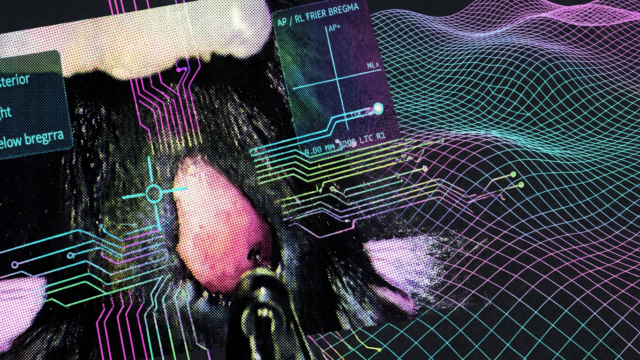
A Claude model autonomously chose a gene therapy and operated on a mouse brain with no human decision-making

An AI agent performed brain surgery on an epileptic mouse, picking the drug, the brain target, and the injection coordinates on its own. According to lead researcher Ocana-Santero, it's the first time an AI agent has autonomously chosen a treatment and delivered it to a living mammal. But when a calibration error hit mid-surgery, the agent refused to continue and couldn't be talked out of it. The article A Claude model autonomously chose a gene therapy and operated on a mouse brain with no human decision-making appeared first on The Decoder.

Advertisement
AI

Malicious Claude Code extension in Cursor’s marketplace attempted remote access and data theft

A tampered Claude Code extension was live on the Cursor marketplace for about 11 hours, affecting up to 5,000 users. It tried to steal user data and set up remote access. Cursor took the entire marketplace offline and reinstated it after confirming there was no further risk. The article Malicious Claude Code extension in Cursor's marketplace attempted remote access and data theft appeared first on The Decoder.

AI

Meet TokenEconomizer: Microsoft’s Plugin That Cuts Coding Agent Costs by Up to 30.9%

A team of researchers from Microsoft Research and UC Berkeley have released TokenEconomizer, an open-source cost controller for coding agents. TokenEconomizer is a plugin that learns from past sessions in a repository to cut waste in later ones. It works with Claude Code, Codex, GitHub Copilot CLI and Pi. It does not touch model weights or agent code. On 277 SWE-Bench tasks, it lowered mean cost by 18.4% to 30.9% across 5 agent-model settings. TL;DR Package: A standard-library Python package and agent plugins, with 3 switchable mechanisms. Runs on: Any machine running Claude Code, Codex, Copilot CLI or Pi with Python 3.10+. No GPU and no API key of its own. Performance: 18.4% to 30.9% lower mean SWE-Bench cost, and cheaper in all 30 repository-setting cells. Best: 30.9% lower cost on Claude Code with Opus 4.8 (33.2% when combined with RTK). Worst: Only 6.4% to 9.3% savings on ReposVul audits; Pass@1 drops 1.0 point on Opus 4.8. Why do coding agents waste tokens? Every agent turn re-bills the system prompt, every loaded tool schema and the full history. The research team profiled 60 SWE-Bench tasks across 6 repositories using Claude Code with Opus 4.8. They found 3 recurring sources of waste: Repeated discovery: once 5 tasks precede the current one, 30% of tool calls repeat an earlier action. Unused tools: 23 tool schemas load every turn. 16 are never called, and 3 cover 98% of calls. Failure loops: 10 failed runs were 17% of tasks but 32% of total spend. They also tested 3 fixed open-source strategies: RTK, Serena and Aider’s RepoMap. None was cheaper everywhere. All 3 cut cost on Django and raised it on SymPy. How does TokenEconomizer work? TokenEconomizer is an external controller that treats the agent as a black box. It keeps a state per repository, built from completed traces. Before each task, it sets 3 policies through the prompt, the tool settings and the event stream. 1. Micro-skills An LLM proposer turns trace digests into 1-line facts, such as the working test command. Each fact carries regex detectors that check later traces without a model call. A fact enters the prompt after 3 confirmations on tasks with non-overlapping edited files. Its need rate must also stay at or above 0.4. One contradiction counts as 5 confirmations, so wrong facts retire quickly. 2. Tool pruning Shell, read, write and edit tools are always kept. Other tools are masked after 3 consecutive unused tasks, or when an LLM judge marks them irrelevant. The full catalog returns every 5 tasks for a re-audit. On Django with Claude Code, the first request on task 2 fell from 43,351 to 16,295 prompt tokens. 3. Failure-loop intervention The controller learns a turn budget: 1.25 times the 90th percentile of successful run lengths. Cheap rule checks flag repeated failures or dense errors. An LLM judge then decides if the agent is stuck, at 0.7 confidence or higher. A stuck agent gets 1 redirect, then a stop if the loop recurs. #mtp-te-embed iframe{width:100%!important;border:0!important;display:block;background:transparent!important}#mtp-te-embed p:empty,#mtp-te-embed hr,#mtp-te-embed del,#mtp-te-embed s{display:none!important} (function(){var f=document.getElementById('mtp-te-frame');window.addEventListener('message',function(e){if(e.data&&e.data.mtpTE&&e.source===f.contentWindow){f.style.height=e.data.h+'px';}});})(); What do the SWE-Bench results show? Source: arXiv 2610.22732, Table 1. Costs include all controller calls. 3 seeds per setting. Pass@1 improved in 4 of 5 settings. Lower reasoning effort saved cost but cut Pass@1 by 1.8 to 10.3 points. RTK alone raised cost in 12 of 30 repository-setting cells, and RepoMap in 15. Savings build over time. Most repositories cost more at first, but all were cheaper by the sixth task. Alone on Claude Code, tool pruning saved 13.2% to 17.7%, micro-skills 11.8% to 14.3%, and the loop guard 5.4% to 7.1%. Results also held outside SWE-Bench. Costs fell 16.0% to 21.2% on Web-Bench and 16.5% to 19.6% on CredData. ReposVul saw only 6.4% to 9.3%, because shorter runs leave less to remove. How does it compare with other token-saving tools? Cost rows: TokenEconomizer paper. Licenses and claims: each project’s repository or docs. How do you install TokenEconomizer? The plugin needs one of the 4 agents and Python 3.10 or newer. On Claude Code, clone the repo, add it as a marketplace, then run claude plugin install tokeneconomizer@tokeneconomizer. Learned data stays local in ~/.tokeneconomizer. Tool pruning and the loop guard are on by default. Micro-skills are off by default, because the proposer adds model calls. Key Takeaways TokenEconomizer cuts SWE-Bench cost 18.4% to 30.9% with an unchanged agent. It was cheaper in all 30 repository-setting cells; RTK and RepoMap were not. Tool pruning is the biggest single lever, at 13.2% to 17.7%. Pass@1 rose in 4 of 5 settings and fell 1.0 point on Opus 4.8. It is Apache 2.0 and installs on Claude Code, Codex, Copilot CLI and Pi. Check out the Paper, GitHub Repo and Project Page. Also, feel free to follow us on Twitter and don’t forget to join our 150k+ML SubReddit and Subscribe to our Newsletter. Wait! are you on telegram? now you can join us on telegram as well. Need to partner with us for promoting your GitHub Repo OR Hugging Face Page OR Product Release OR Webinar etc.? Connect with us The post Meet TokenEconomizer: Microsoft’s Plugin That Cuts Coding Agent Costs by Up to 30.9% appeared first on MarkTechPost.

AI

OpenAI sets new behavioral guidelines for AI models that have already proven hard to control

OpenAI has updated its Model Spec, restructuring its AI behavior guidelines around five core values, including faithfulness to human intent and correctability. GPT models should now draw on conversation history to figure out what users actually want and disclose their own assumptions. Whether the models follow these rules is another matter. The article OpenAI sets new behavioral guidelines for AI models that have already proven hard to control appeared first on The Decoder.

Advertisement
AI

AI Security Agents Compared: Claude, Codex, Mantis, Cloudflare

Anthropic, OpenAI, Cloudflare and Google now each ship an AI agent that hunts security bugs in source code. We checked the repos, docs and technical details behind each one. The key finding: all 4 tools converge on one design. One agent finds a bug, a separate agent tries to disprove it, and only survivors get a patch. The differences are in where they run, who can use them and how much proof they demand. Key Takeaways 4 labs, 1 pattern: find, independently disprove, then patch. Claude Security runs inside Claude Code; no extra API key needed. Codex Security’s CLI is Apache-2.0, but scanning still needs OpenAI access. Cloudflare’s skill is MIT, model-agnostic and the most-starred at 47.5K. Google’s Mantis reproduces bugs in a sandbox; Google says isolate it. Why 4 labs shipped the same thing in 2026 The problem every one of them is solving is noise. Google’s security team writes that sloppy AI code scanning produces hallucinated bugs and true-positive rates under 7%. A scanner that is wrong 93% of the time costs reviewers more than it saves. The shared fix is separation of duties. The agent that reports a finding never gets to confirm it. Cloudflare states the rule directly in its README: the verifier is never the agent that found the bug. Anthropic, OpenAI and Google each describe a similar validation step before anything reaches a report. The second driver is offense. Anthropic team states that it built its scanner partly because attackers were already using AI models to find exploitable flaws, per The Hacker News. Google opens its Mantis post by noting that models can now discover and exploit bugs with little human help. 1. Claude Security by Anthropic What it is: A multi-agent vulnerability scanner that runs inside a Claude Code session. It is the local version of Anthropic’s hosted Claude Security product, per the plugin README. How it works: Agents map the architecture, build a threat model, hunt across every component and verify each finding independently. The plugin offers 3 jobs from one menu: scan the codebase, scan changes, or suggest patches, per Claude Code docs. Output: A Markdown report along with a SARIF 2.1.0 file for GitHub code scanning. Each finding carries severity, a CWE category, impact and reproduction steps. Patches are drafted in a scratch copy and land as F.patch files. The plugin never commits, pushes or opens a pull request on its own. Cost and access: It makes no model calls of its own, so there is no separate API key. Scans count against your Claude plan’s usage limits. Copy CodeCopiedUse a different Browser/plugin install claude-security@claude-plugins-official /claude-security Timeline: Anthropic opened a limited preview called Claude Code Security in February 2026. The hosted product reached public beta for Enterprise customers on Claude Opus 4.7. The Claude Code plugin entered beta on July 22, 2026, per Cybersecurity News. In August, the hosted scanner moved to Claude Mythos 5, per Dataconomy. Where it fits: Anthropic positions it as one layer. The security-guidance plugin checks code as Claude writes it, and /security-review does a single pass on a branch. Claude Security is the on-demand deep scan. 2. Codex Security by OpenAI What it is: A CLI and TypeScript SDK, published as @openai/codex-security, for finding, validating and fixing vulnerabilities. How it works: It scans a whole repo, selected paths, or a Git diff. A –mode deep flag runs parallel discovery workers. It validates candidate findings, generates patches and can verify existing fixes. A cs policy command drafts a SECURITY.md that tells future scans what counts as a vulnerability in your project. Output: Threat models, SARIF, JSON or CSV exports, plus publishing to Linear. It can import GitHub code-scanning alerts and suggest owners from Git history. A GitHub Action runs scheduled or pull-request scans; findings are report-only by default. Copy CodeCopiedUse a different Browsernpm install --global @openai/codex-security cs login cs scan Cost and access: The client is Apache-2.0, but the scanner behind it is not. DevOps.com notes the CLI and SDK stay in limited beta for approved customers. The README lists OpenAI, Amazon Bedrock, OpenRouter and Fireworks AI as providers. Requires Node.js 22.13+ and Python 3.10+. 3. Security Audit Skill by Cloudflare What it is: An MIT-licensed skill that turns any capable coding agent into a security auditor. How it works: A 6-phase audit: Reconnaissance: map architecture, trust boundaries and input surfaces into architecture.md and a coverage ledger. Coverage-led hunting: isolated hunters each take ledger units; coverage critics look for gaps. Candidate validation: a fresh verifier tries to disprove every unique candidate. Structured output: confirmed, needs_validation and rejected records go to findings.json, checked against a schema. Independent record verification: new agents re-verify every final source claim. Target-neutral reporting: REPORT.md and detail files are derived from the verified records. Requirements: A coding agent that supports tool use and parallel sub-agents, plus Node.js for the validators. It also wants an OS-enforced sandbox with no external network. Without one, leads stay needs_validation instead of being executed. npx skills add –skill security-audit Then ask the agent: “security audit this codebase.” Output defaults to ~/security-audit-skill//run-, outside your repo. The data behind it: Cloudflare published the skill on June 18, 2026, with its post Build your own vulnerability harness. The roughly 450-line skill seeded an internal harness that now scans 128 repos. Cloudflare reports these lifetime numbers: 20,799 raw candidates from discovery, about 12,057 of which survived validation. 13,841 findings in the shared triage pool across 145 repos, including another harness’s output. 5,442 folded away as duplicates and 1,154 routed out as wrong-repo or low-risk. 7,245 actionable findings sent to engineering teams. Better recon context cut the first-pass rejection rate from 40% to 11%. Cloudflare also uses one model for discovery and a different model for triage, so models check each other. 4. Mantis by Google What it is: An Apache-2.0 set of security-review skills plus an ADK reference harness for AI coding agents. Google team states that it is part of how it finds and fixes bugs internally. How it works: Mantis reads the repo’s history to learn from past security fixes. It builds a hierarchical summary tree, condensing files into directory and root summaries. Google team states that this cut token overhead by over 85%. It then generates a threat model and hypotheses, hunts, deduplicates and critiques findings. What sets it apart: Reproduction and patch verification. Mantis tries to reproduce each bug, from a static exploit sketch up to a unit test or mock server. It patches with an adversarial loop that attacks the fix. It also calibrates severity against a rubric to stop “thousands of criticals.” A mantis-advise skill then feeds what it learned back into code generation. Setup: Clone the repo and point any coding agent at it, or run the ADK harness directly. The harness supports a –focus prompt such as “look for IDOR” and a –max-tokens spend ceiling. Copy CodeCopiedUse a different Browsergit clone cd mantis/reference && ./install.sh ./run.sh path/to/code Side-by-side Beyond the big 4: other AI bug hunters launched in 2026 At least 12 more agent-based vulnerability tools shipped or went public in 2026. Almost all repeat the same find-then-independently-verify loop. They split into free harnesses you run yourself and commercial or internal platforms. Open-source harnesses AppSec Santa also tracks harnesses from Anthropic (defending-code-reference-harness), Trail of Bits, Capital One (vulnhunter) and Cisco (ai-deep-sast). Cisco’s runs fully local on Foundation-Sec-8B, so no code leaves the machine. Commercial platforms and internal systems The pattern holds across vendors: deterministic engines or validators do the proving, models do the reasoning, and a human approves every fix. Which one to run first Already on Claude Code: start with the Claude Security plugin. It installs in 1 line and uses your existing plan. Need CI gating and SARIF in GitHub: Codex Security has the most mature pipeline tooling, if your org has access. Want no vendor lock-in: Cloudflare’s skill runs on any agent with parallel sub-agents and is fully MIT. Have a security team and a sandbox: Mantis gives the deepest proof loop, with reproduction and adversarial patch testing. Cloudflare’s own architecture suggests a practical combination. Run discovery with one tool or model, then validate with a different one. Different models surface different shares of the bugs. The post AI Security Agents Compared: Claude, Codex, Mantis, Cloudflare appeared first on MarkTechPost.

AI

Google’s AI Mode doesn’t drive traffic “for anybody,” Reddit CEO Huffman warns the entire web

Reddit lost over one million Google search referrals per week in October, CEO Steve Huffman said. The stock dropped more than 25 percent despite strong earnings. Huffman blames Google's AI Overviews and AI Mode for driving zero traffic to external sites. Reddit now tests login barriers and wants to become a direct destination, less reliant on the open web. The shift threatens every content-driven business that depends on search traffic. The article Google's AI Mode doesn't drive traffic "for anybody," Reddit CEO Huffman warns the entire web appeared first on The Decoder.

AI

Open-weight model GLM 5.3 built full Firefox exploit chains with zero human input in under 48 hours

Epoch AI researchers say the widely available AI model GLM 5.3 turned public security fixes into working exploits before updates reached Firefox users. It autonomously compromised six Firefox releases for about $1,000 in API fees each without triggering safeguards from any provider tested. The article Open-weight model GLM 5.3 built full Firefox exploit chains with zero human input in under 48 hours appeared first on The Decoder.

Advertisement
AI

Samaya AI Releases Sterling: A 3B-Active Finance Research Agent Model that Beats Claude Fable 5.1 on FrontierFinance at 11x Lower Cost

Samaya AI has released Samaya Sterling, a post-trained model for agentic financial research. Sterling is built on NVIDIA’s Nemotron 3.5 Lightning, a 30B mixture-of-experts model with 3B active parameters. On Samaya’s FrontierFinance benchmark, it scores 58.9%. Claude Fable 5.1 scores 55.9%. Each Sterling question costs $0.61, against $6.89 for Fable 5.1. For developers, the takeaway is a concrete recipe: co-train a small model with its harness, and it can win in a narrow domain. TL;DR Size: 30B total, 3B active (MoE). Base model context: up to 1M tokens. Sterling’s serving context: not disclosed. Runs on: the base model fits a single H100 80GB in BF16 (256K context). Sterling’s serving hardware: not disclosed. Performance: beats every high-quality system on the FrontierFinance leaderboard on quality per dollar (self-reported). Best: 58.9% on FrontierFinance (60.6% in high-effort mode), vs 55.9% for Claude Fable 5.1. Worst: 45.2% on the hardest third of FrontierFinance questions. What is Samaya Sterling? Samaya Sterling is a LoRA post-trained version of Nemotron 3.5 Lightning, tuned to work as a financial research agent. It plans research, calls finance tools, gathers evidence and hands findings to a separate report writer. According to Maithra Raghu’s X announcement, it started as a 2-person effort on agentic orchestration efficiency. How does the harness support a 3B-active model? Samaya team adapted its production finance harness for a small model. Detailed guidance was stripped from the system prompt and tool descriptions. Tools were merged to shorten the prompt. Two helper models manage context. A condenser shortens long tool results. A compactor summarizes the trace as it grows. A research budget caps how long the agent works. After that, the report writer answers from what was found. How was Sterling trained? Training used LoRA on Tinker, Thinking Machines Lab’s training API. It ran in 4 stages: SFT on synthetic traces: Samaya generated 968 synthetic analyst questions. The teacher, Kimi K3, answered each twice, and an LLM judge picked the better answer. The model learned to call 37 tools with valid arguments. SFT on the best of 8 strategies: Kimi K3 answered 1,819 expert-written questions using 8 research strategies. The best-graded answer per question became training data. Best-of-8 met 80% of essential rubric items, against about 66% for the single best strategy. After filtering, 1,157 questions remained. Offline GRPO: GRPO scored all 8 teacher answers against each other. No new generation was needed, so each step was cheap. Online GRPO: The model answered each question 8 times and learned from graded attempts. Truncated importance sampling corrected a known MoE sampler mismatch. How does Sterling score on FrontierFinance? FrontierFinance has 220 public queries scored against expert-written rubrics. The grader uses a 3-model judge panel. Samaya team states that no benchmark question was used in training. Checkpoints were chosen on 100 internal validation questions. Sterling scores 58.9% at $0.61 and 282 s per question. Fable 5.1 scores 55.9% at $6.89 and 268 s. Samaya’s own high-effort system scores 2.9 points lower at $1.81. Every stage added quality: 42.5% (base), 51.4%, 54.8%, 57.5%, then 58.9%. Median tool calls rose from 3 to 17. In high-effort mode, Sterling reaches 60.6% at $1.83 and 372 s. On the hardest third, it rose from 31.8% to 45.2%. The model itself costs $0.04 per question. Tools and helper models make up the rest of the $0.61. (function(){var f=document.getElementById("mtp-sterling-frame");window.addEventListener("message",function(e){if(e.source===f.contentWindow&&e.data&&e.data.type==="mtp-resize"){f.style.height=e.data.mtpHeight+"px";}});})(); How does Sterling compare? FrontierFinance figures for all columns come from the Samaya blog and are self-reported. Key Takeaways Sterling scores 58.9% on FrontierFinance, 3.0 points above Claude Fable 5.1. Cost per question drops 11x: $0.61 vs $6.89. 3B active parameters, trained with 2 SFT and 2 GRPO stages. Harness and model co-training drive the gains. All results are self-reported on Samaya’s own benchmark. Check out the technical blog, the FrontierFinance benchmark, the dataset and the grader repo. Also, feel free to follow us on Twitter and don’t forget to join our 150k+ML SubReddit and Subscribe to our Newsletter. Wait! are you on telegram? now you can join us on telegram as well. Need to partner with us for promoting your GitHub Repo OR Hugging Face Page OR Product Release OR Webinar etc.? Connect with us The post Samaya AI Releases Sterling: A 3B-Active Finance Research Agent Model that Beats Claude Fable 5.1 on FrontierFinance at 11x Lower Cost appeared first on MarkTechPost.